
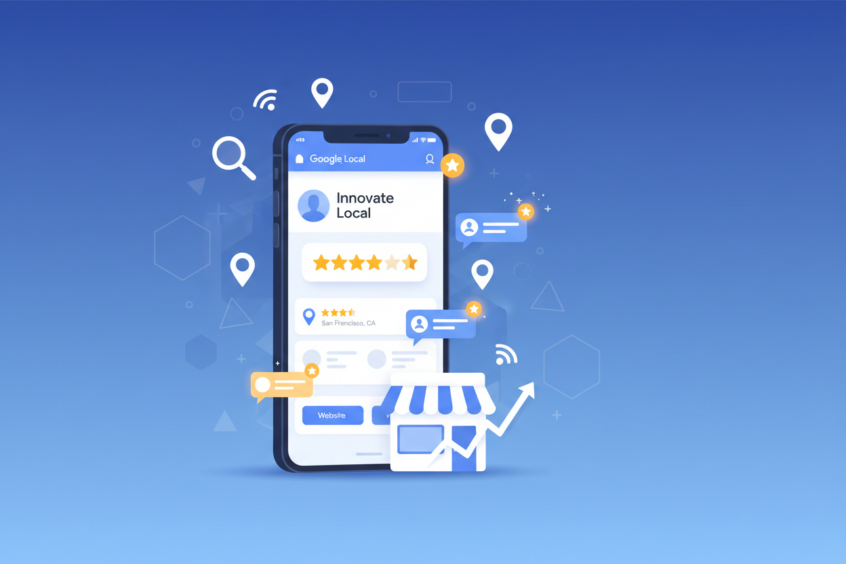
Google Business Profile Setup: Enhancing Your Online Presence
In today’s digital landscape, having a strong online presence isn’t just an advantage—it’s absolutely essential for business success. Whether you’re running a cozy neighborhood cafe, a bustling dental practice, or a growing e-commerce store, your potential customers are searching for you online right now. That’s where Google Business Profile comes into play, serving as your digital storefront and often the first impression customers will have of your business.
Think about your own behavior when you need a service or product. You probably grab your phone, type in what you’re looking for, and scan through the results that appear. Those businesses that show up with complete information, photos, reviews, and easy contact details are the ones that catch your attention, right? That’s the power of a well-optimized Google Business Profile working in action.
Setting up and optimizing your Google Business Profile might seem like just another item on your endless business to-do list, but it’s actually one of the most impactful things you can do for your online visibility. The best part? It’s completely free, and once you’ve set it up properly, it works around the clock to attract customers to your business.
Understanding Google Business Profile: Your Digital Business Card
Google Business Profile, formerly known as Google My Business, is essentially your business’s home base on Google. When someone searches for your business name or the type of service you provide, your profile appears prominently in search results and on Google Maps. It’s like having a mini-website that showcases your most important business information in a format that Google loves to display.
What makes this tool particularly powerful is its integration across Google’s ecosystem. Your business information doesn’t just appear in one place—it shows up in regular Google searches, Google Maps, and even when people are browsing on their mobile devices looking for nearby services. This multi-platform presence significantly increases your chances of being discovered by potential customers.
The profile serves multiple purposes simultaneously. It acts as an information hub where customers can find your hours, contact details, and location. It functions as a review platform where satisfied customers can share their experiences. It works as a communication channel where you can post updates, share photos, and even interact directly with customers through messaging features.
Essential Steps for Google Business Profile Setup
Getting started with your Google Business Profile doesn’t require any technical expertise, but attention to detail during the setup process will pay dividends later. The first step involves claiming or creating your business listing. Many businesses are surprised to discover that Google has already created a basic listing for them based on publicly available information, so you might be claiming an existing profile rather than starting from scratch.
To begin the process, navigate to the Google Business Profile website and sign in with your Google account. If you don’t have a Google account yet, you’ll need to create one—make sure to use an email address that you check regularly, as Google will send important notifications about your profile to this address.
Once you’re signed in, you can search for your business to see if a listing already exists. If you find your business, you can claim it by clicking “Own this business?” and following the verification process. If no listing exists, you’ll create a new one by clicking “Add your business to Google” and providing the necessary information.
The verification process is crucial and typically involves Google sending a postcard to your business address with a verification code. This step confirms that you’re the legitimate owner of the business and prevents unauthorized people from managing your profile. While waiting for verification, you can continue filling out your profile information, but some features won’t be available until verification is complete.
Optimizing Your Business Information for Maximum Impact
Once your profile is verified, the real work begins with optimization. Your business name should match exactly what appears on your storefront, business cards, and other official materials. Consistency across all platforms helps Google understand that all these references point to the same business, which strengthens your overall online presence.
Selecting the right business category is more important than many people realize. Google uses this information to determine when your business should appear in search results, so choose the category that most accurately describes your primary business activity. You can add additional categories if your business serves multiple purposes, but make sure your primary category reflects what most customers come to you for.
Your business description offers an opportunity to tell potential customers what makes you special. Keep it concise but informative, focusing on what you do, who you serve, and what sets you apart from competitors. Include relevant keywords naturally, but avoid keyword stuffing—write for humans first, search engines second.
Contact information accuracy cannot be overstated. Double-check your phone number, website URL, and physical address. If customers can’t reach you or find you because of incorrect information, all your other optimization efforts become meaningless. Make sure your website link works properly and leads to a relevant page, preferably your homepage or a location-specific landing page.
Leveraging Photos and Visual Content
Visual content transforms your Google Business Profile from a basic directory listing into an engaging showcase of your business. High-quality photos can significantly influence a potential customer’s decision to choose your business over competitors. Google recommends uploading photos regularly, and businesses with photos receive significantly more engagement than those without.
Start with exterior and interior photos that give customers a clear sense of what to expect when they visit. Include photos of your products, services in action, and your team if appropriate. Customers particularly appreciate seeing the faces behind the business, as it adds a personal touch that builds trust before they even walk through your door.
Action shots work particularly well—show your team serving customers, your products being used, or your services being performed. These dynamic images help potential customers visualize themselves using your business and create an emotional connection that static product shots alone cannot achieve.
Don’t forget about seasonal updates and special events. Regular photo uploads signal to Google that your business is active and current, which can positively impact your search rankings. Plus, fresh content gives existing customers reasons to engage with your profile repeatedly.
Managing Customer Reviews and Building Trust
Customer reviews are often the deciding factor for potential customers choosing between similar businesses. Your Google Business Profile serves as a central hub for collecting and displaying these crucial testimonials. While you cannot control what customers write, you can influence the review process and respond professionally to all feedback.
Encourage satisfied customers to leave reviews by making the process as simple as possible. You can create a direct link to your review section and share it via email, text message, or even display it prominently in your physical location. However, avoid incentivizing reviews with discounts or rewards, as this violates Google’s guidelines and can result in penalties.
Responding to reviews, both positive and negative, demonstrates that you value customer feedback and are actively engaged with your community. Thank customers for positive reviews and address any concerns raised in negative reviews professionally and constructively. Potential customers often read these responses to gauge how you handle problems and treat your customers.
Remember that review management is an ongoing process, not a one-time setup task. Regular monitoring and timely responses show that your business is active and cares about customer satisfaction. This ongoing engagement can actually turn negative experiences into positive outcomes when handled properly.
Utilizing Advanced Features and Ongoing Maintenance
Google Business Profile offers several advanced features that can further enhance your online presence. The messaging feature allows customers to contact you directly through your profile, creating another touchpoint for customer service and lead generation. Make sure someone on your team can respond to these messages promptly, as quick response times can improve your profile’s performance.
Posts function like social media updates, allowing you to share news, promotions, events, and other timely information. These posts appear directly in your profile and can include photos, links, and call-to-action buttons. Regular posting keeps your profile fresh and gives you additional opportunities to appear in search results for relevant queries.
The insights section provides valuable data about how customers find and interact with your profile. You can see which search queries lead people to your business, how many people call you directly from your profile, and how often people request directions to your location. This information helps you understand your customers better and make informed decisions about your marketing efforts.
Keeping your profile information current requires ongoing attention. Update your hours for holidays, add new services as your business evolves, and refresh your photos periodically. Google favors businesses that maintain active, up-to-date profiles, so this ongoing maintenance directly impacts your visibility in search results.
Measuring Success and Continuous Improvement
Success with your Google Business Profile isn’t just about completing the initial setup—it’s about understanding how your profile performs and continuously improving based on real data. The insights provided by Google offer a wealth of information about customer behavior and preferences that can inform your broader marketing strategy.
Track metrics like profile views, search queries that lead to your business, and customer actions taken from your profile. Are more people calling you or visiting your website? Are certain photos generating more engagement? This data helps you understand what resonates with your audience and what might need adjustment.
Pay attention to seasonal patterns and local events that might affect your business visibility. Understanding these trends allows you to proactively adjust your profile content and posting schedule to maximize visibility during peak periods.
Consider your Google Business Profile as part of your larger digital marketing ecosystem. Coordinate your profile updates with your social media content, website updates, and other marketing initiatives to create a consistent brand experience across all touchpoints.
Setting up and optimizing your Google Business Profile represents one of the most cost-effective investments you can make in your business’s online presence. This free tool connects you directly with customers who are actively searching for your products or services, often at the exact moment they’re ready to make a purchasing decision.
The key to success lies not just in the initial setup, but in treating your profile as a living, breathing extension of your business that requires regular attention and updates. By maintaining accurate information, engaging with customers through reviews and messages, and consistently adding fresh content, you create a powerful online presence that works around the clock to attract and convert potential customers.
Remember that digital marketing success rarely happens overnight, but the compound effect of a well-maintained Google Business Profile builds over time. Every positive review, every updated photo, and every prompt response to customer inquiries contributes to a stronger online reputation that pays dividends for years to come. Start with the basics, stay consistent with your efforts, and watch as your enhanced online presence translates into real business growth.
No More BS – Get a FREE Consultation
No more BS. Let’s talk real world $#!+ about what you need. You’ll meet with our top dog, and you’ll leave with a better understanding of what you need to do, and how RyCOM might help.