

Online Store Setup: Ensuring a Smooth Customer Journey
Setting up an online store isn’t just about uploading product photos and waiting for sales to roll in. The difference between a thriving e-commerce business and one that struggles often comes down to how well you’ve crafted your customer journey. Every click, scroll, and interaction shapes whether a visitor becomes a loyal customer or abandons their cart forever.
When I first launched my online store years ago, I thought having great products was enough. Boy, was I wrong. Despite having quality items and competitive prices, my conversion rates were abysmal. It wasn’t until I stepped back and examined every touchpoint from a customer’s perspective that things began to change. The lesson? A smooth customer journey isn’t a luxury—it’s essential for online retail success.
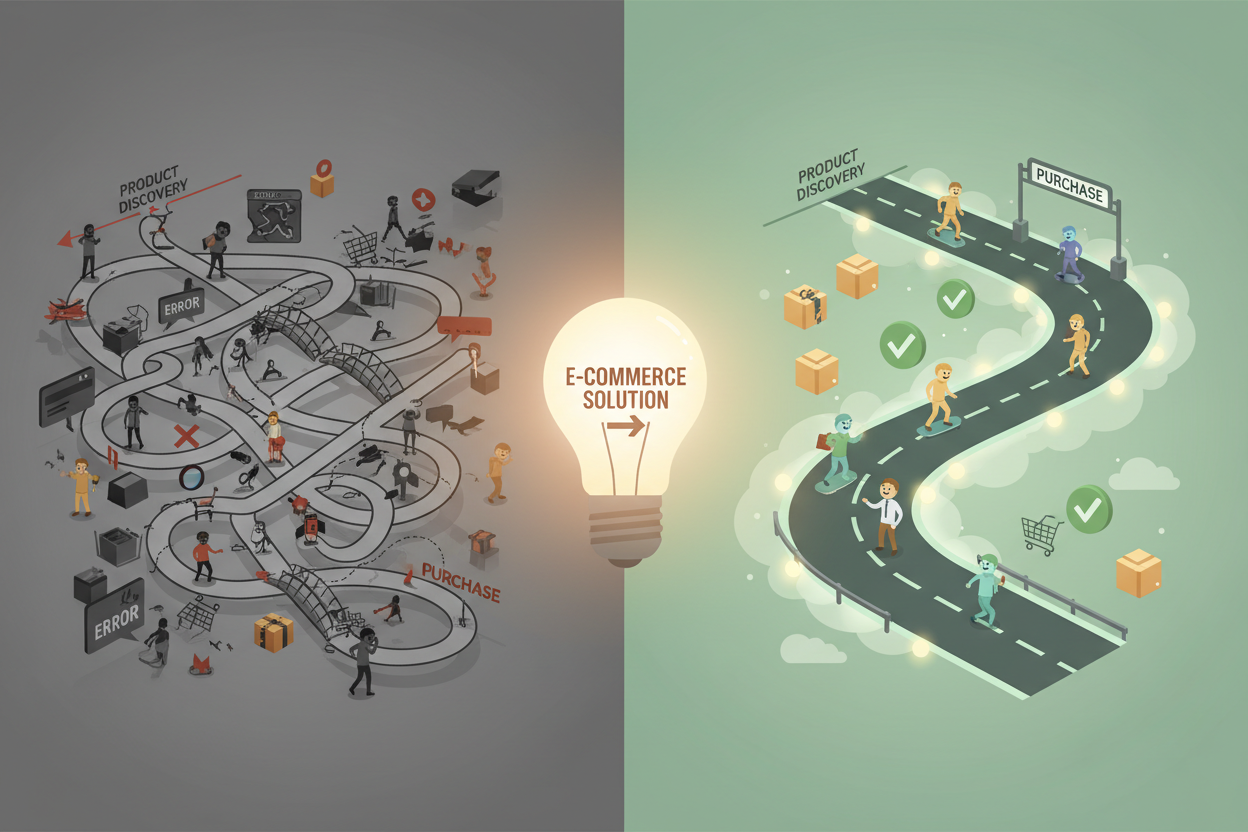
Today’s consumers expect seamless experiences. They want to find what they’re looking for quickly, understand your products clearly, and complete purchases without frustration. Meeting these expectations requires careful planning and attention to detail at every stage of your online store setup.
Understanding Your Customer’s Digital Journey
Before diving into the technical aspects of store setup, you need to understand how customers interact with your online business. The customer journey typically unfolds in several stages: awareness, consideration, purchase, and post-purchase experience.
During the awareness stage, potential customers discover your brand through search engines, social media, or referrals. They’re looking for solutions to problems or products that meet their needs. Your website needs to make a strong first impression within seconds of their arrival.
The consideration phase is where customers evaluate your products against competitors. They’re reading descriptions, comparing prices, checking reviews, and assessing trustworthiness. This stage often determines whether they’ll proceed to purchase or look elsewhere.
The purchase stage should be straightforward and secure. Any friction here—complicated checkout processes, unexpected fees, or security concerns—can derail even the most interested customers.
Finally, the post-purchase experience includes order confirmation, shipping updates, delivery, and ongoing customer support. This stage is crucial for building repeat business and generating positive reviews.
Creating an Intuitive Website Navigation Structure
Your website’s navigation serves as the roadmap for your customers’ journey. Poor navigation is like having a store where customers can’t find what they’re looking for—they’ll simply leave and shop elsewhere.
Start with a clean, logical menu structure that reflects how customers think about your products. Instead of organizing by internal categories that make sense to you, consider how customers would naturally search for items. For instance, a clothing retailer might organize by gender, then by clothing type, rather than by brand or season.
Your search functionality deserves special attention. Many customers prefer searching over browsing, so invest in a robust search feature that handles typos, suggests alternatives, and provides relevant results. Include filters that help customers narrow down options by price, size, color, brand, or other relevant attributes.
Breadcrumb navigation helps customers understand where they are on your site and how to get back to previous pages. This simple feature reduces confusion and improves the overall user experience.
Don’t forget about mobile navigation. With mobile commerce continuing to grow, your navigation must work flawlessly on smaller screens. Consider hamburger menus, sticky headers, and thumb-friendly button placement to optimize the mobile experience.
Optimizing Product Pages for Conversion
Product pages are where the magic happens—or doesn’t. These pages need to provide all the information customers need to make confident purchasing decisions while maintaining an appealing, professional appearance.
High-quality product images are non-negotiable. Customers can’t touch or try your products, so images must do the heavy lifting. Include multiple angles, close-ups of important details, and lifestyle shots showing products in use. Consider adding zoom functionality and 360-degree views when possible.
Product descriptions should be detailed yet scannable. Include key specifications, dimensions, materials, and care instructions. Address common questions and concerns proactively. Use bullet points to highlight important features, making information easy to digest quickly.
Customer reviews and ratings provide social proof that can significantly impact purchasing decisions. Make reviews prominent and easy to read. Respond to negative reviews professionally to show you care about customer satisfaction.
Clear pricing information builds trust. Display prices prominently and include any additional fees upfront. If you offer discounts or promotions, make them visible without being overwhelming.
Stock availability information helps manage customer expectations. Nothing frustrates customers more than going through the checkout process only to discover an item is out of stock.
Streamlining the Checkout Process
Cart abandonment rates hover around 70% for most online stores, and complicated checkout processes are often to blame. Every additional step or required field increases the likelihood that customers will abandon their purchase.
Offer guest checkout options alongside account creation. While customer accounts provide valuable data and enable easier future purchases, forcing account creation during the first purchase can deter customers. Allow them to create accounts after completing their purchase.
Minimize the number of steps required to complete a purchase. Single-page checkouts often perform better than multi-step processes, but if you must use multiple pages, clearly indicate progress and allow customers to easily navigate between steps.
Be transparent about all costs from the beginning. Unexpected shipping fees or taxes at the final step are major conversion killers. Display total costs, including shipping and taxes, as early as possible in the checkout process.
Offer multiple payment options to accommodate different customer preferences. While credit cards remain popular, digital wallets like PayPal, Apple Pay, and Google Pay are increasingly preferred for their convenience and security.
Security badges and SSL certificates help build trust during the checkout process. Display security certifications prominently and ensure your checkout pages are clearly secure.
Implementing Effective Search Functionality
Your site search is often the fastest path between customer intent and product discovery. A well-implemented search function can significantly improve conversion rates and customer satisfaction.
Auto-complete and search suggestions help customers find products even when they’re not sure of exact names or spellings. This feature is particularly valuable for stores with large inventories or technical products.
Search results should be relevant and well-organized. Implement smart sorting options that consider factors like popularity, customer ratings, price, and relevance to the search query. Allow customers to re-sort results based on their preferences.
Handle “no results” pages gracefully. Instead of showing a blank page or generic error message, suggest alternative products, check for spelling errors, or provide links to popular categories.
Track search queries to understand what customers are looking for. This data can reveal gaps in your inventory, inform content creation, and highlight opportunities for site improvements.
Building Trust Through Design and Security
Trust is the foundation of successful online retail. Customers need to feel confident that your store is legitimate, their personal information is secure, and they’ll receive the products they order.
Professional design immediately impacts credibility. Invest in clean, modern design that reflects your brand personality. Avoid cluttered layouts, broken images, or outdated design elements that might make customers question your legitimacy.
Display contact information prominently. Include multiple ways for customers to reach you—phone numbers, email addresses, and physical addresses if applicable. Consider adding live chat for immediate support.
Create comprehensive policies for shipping, returns, privacy, and terms of service. Make these easily accessible and write them in plain language that customers can understand. Unclear or missing policies raise red flags for potential customers.
Showcase customer testimonials, reviews, and social proof throughout your site. Real customer experiences help build confidence in your products and service quality.
Implement robust security measures and communicate them clearly. Use SSL certificates, secure payment processing, and follow industry best practices for data protection. Display security badges and certifications to reassure customers.
Mobile Optimization: The Non-Negotiable Essential
Mobile commerce isn’t the future—it’s the present. More customers are shopping on mobile devices than ever before, making mobile optimization crucial for your store’s success.
Responsive design ensures your store looks and functions well across all device sizes. Test your site on various devices and screen sizes to identify and fix any issues with layout, text readability, or button functionality.
Page loading speed is even more critical on mobile devices. Optimize images, minimize code, and leverage content delivery networks to ensure fast loading times. Even a one-second delay in page load time can significantly impact conversion rates.
Touch-friendly design considerations include appropriately sized buttons, easy-to-tap links, and intuitive gestures. Ensure that all interactive elements are large enough for finger navigation and spaced adequately to prevent accidental taps.
Mobile-specific features like click-to-call buttons, location-based services, and mobile payment options can enhance the mobile shopping experience and drive conversions.
Post-Purchase Experience and Customer Retention
The customer journey doesn’t end at checkout. How you handle the post-purchase experience significantly impacts customer satisfaction, repeat business, and word-of-mouth recommendations.
Order confirmation and shipping notifications keep customers informed and reduce anxiety about their purchases. Send immediate confirmation emails with order details and provide tracking information as soon as items ship.
Follow-up communications can turn one-time buyers into loyal customers. Send care instructions for products, request reviews, or provide complementary product suggestions based on their purchase history.
Easy returns and exchanges demonstrate confidence in your products and commitment to customer satisfaction. Clear return policies and simple return processes can actually increase initial purchase confidence.
Customer support should be easily accessible and responsive. Whether through email, phone, or live chat, ensure customers can reach you when they need help with their orders or have questions about your products.
Conclusion
Creating a smooth customer journey for your online store requires attention to detail, customer empathy, and continuous optimization. Every element—from navigation and product pages to checkout and post-purchase communications—plays a role in the overall experience.
Remember that customer expectations continue to evolve, and what worked yesterday might not work tomorrow. Regularly gather customer feedback, analyze your site analytics, and stay current with e-commerce best practices. Small improvements in user experience can lead to significant increases in conversion rates and customer satisfaction.
The investment in creating a seamless customer journey pays dividends through higher conversion rates, increased customer lifetime value, and positive word-of-mouth marketing. Take the time to walk through your own store as a customer would, identify pain points, and systematically address them. Your customers—and your bottom line—will thank you for it.
No More BS – Get a FREE Consultation
No more BS. Let’s talk real world $#!+ about what you need. You’ll meet with our top dog, and you’ll leave with a better understanding of what you need to do, and how RyCOM might help.