
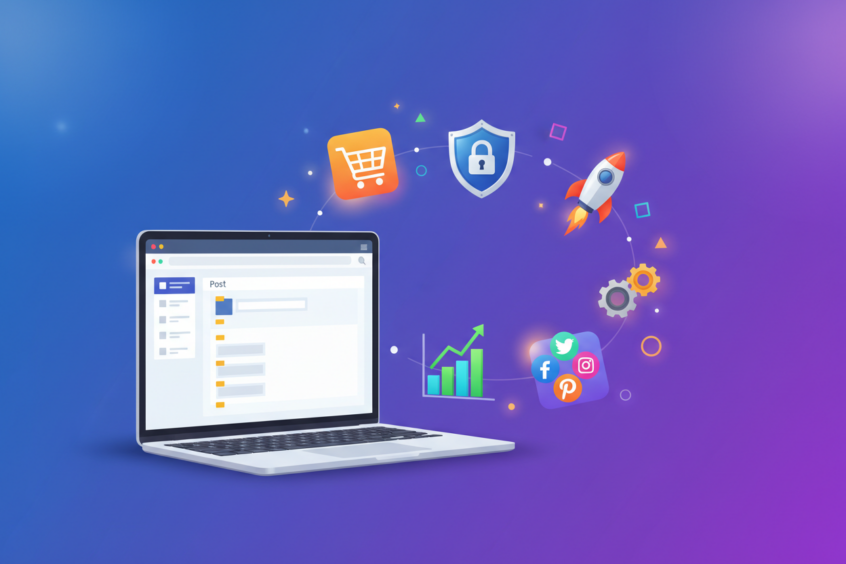
WordPress Website Design: How to Leverage Plugins for Enhanced Functionality
When I first started building WordPress websites, I was amazed by how much you could accomplish with just the core platform. But then I discovered plugins, and suddenly it felt like I had unlocked a treasure chest of possibilities. WordPress plugins are essentially small software applications that extend your website’s functionality beyond its basic features, and they’ve become the backbone of modern web design.
Whether you’re running a small business blog or managing a complex e-commerce site, plugins can transform your WordPress website from a simple content management system into a powerful, feature-rich platform. The beauty lies in their versatility – you can add everything from contact forms and SEO optimization tools to advanced security features and performance enhancements without writing a single line of code.
In this comprehensive guide, we’ll explore how to strategically leverage WordPress plugins to enhance your website’s functionality while maintaining optimal performance and user experience. You’ll learn about essential plugin categories, best practices for selection and management, and how to avoid common pitfalls that could slow down your site.
Understanding WordPress Plugin Architecture
Before diving into specific plugins, it’s crucial to understand how these tools integrate with your WordPress website. Plugins work by hooking into WordPress’s core system through a series of action hooks and filters. This architecture allows developers to modify or extend functionality without altering the core WordPress files, which means your customizations remain intact even when you update your WordPress version.
The plugin ecosystem is vast, with over 60,000 plugins available in the official WordPress repository alone. This abundance can be both a blessing and a curse – while you have countless options to enhance your site, choosing the right plugins requires careful consideration of your specific needs, performance impact, and long-term maintenance requirements.
When evaluating plugins, I always recommend checking their update frequency, user reviews, compatibility with your WordPress version, and the developer’s reputation. A plugin that hasn’t been updated in two years might pose security risks or compatibility issues, regardless of how appealing its features might seem.
Essential Plugin Categories for Every WordPress Site
Every WordPress website, regardless of its purpose, benefits from certain core plugin categories. These foundational tools address universal needs like security, performance, and search engine optimization. Let me walk you through the essential categories that should be on every website owner’s radar.
Security plugins form the first line of defense against malicious attacks, brute force attempts, and malware infections. Popular options like Wordfence Security and Sucuri Security provide real-time monitoring, firewall protection, and malware scanning capabilities. I’ve seen too many websites compromised because owners assumed WordPress security was someone else’s responsibility.
Performance optimization plugins are equally critical, especially as site speed becomes increasingly important for both user experience and search engine rankings. Caching plugins like W3 Total Cache or WP Rocket can dramatically improve your site’s loading times by storing static versions of your pages and optimizing various performance factors.
SEO plugins help your content rank better in search engine results. Yoast SEO and Rank Math are two powerhouses in this category, offering features like XML sitemap generation, meta tag optimization, and content analysis tools that guide you toward better search engine visibility.
Specialized Plugins for Enhanced User Experience
Beyond the essentials, specialized plugins can significantly enhance your visitors’ experience and engagement with your website. Contact form plugins like Contact Form 7 or WPForms make it easy for visitors to reach out to you while providing you with organized lead management capabilities.
Social media integration plugins extend your content’s reach by making it easy for visitors to share your posts and connect with your social profiles. These tools can include social sharing buttons, Instagram feeds, Twitter timelines, and Facebook page integrations that keep your social presence active on your website.
For websites that rely heavily on visual content, gallery and media plugins can transform how you display images and videos. NextGEN Gallery and Envira Gallery offer advanced features like lightbox effects, album organization, and responsive design that makes your media look professional across all devices.
E-commerce functionality deserves special mention here. WooCommerce has revolutionized online selling for WordPress users, providing a complete shopping cart solution with payment processing, inventory management, and shipping calculations. The plugin’s extensive ecosystem includes hundreds of extensions for specialized needs like subscription billing, advanced reporting, and marketing automation.
Performance Considerations and Plugin Management
While plugins offer incredible functionality, they can also impact your website’s performance if not managed properly. Each active plugin adds code that your server must execute, and poorly coded plugins can significantly slow down your site. This is why strategic plugin selection and regular performance monitoring are crucial.
I recommend conducting regular plugin audits to identify and remove unnecessary or redundant tools. Sometimes we install plugins for temporary needs or testing purposes and forget to remove them. Every plugin should serve a clear, ongoing purpose on your website.
Plugin conflicts can also cause issues ranging from minor display problems to complete site crashes. When installing new plugins, always test them in a staging environment first. This practice has saved me countless headaches over the years, allowing me to identify compatibility issues before they affect live websites.
Keep your plugins updated regularly, but again, test updates in a staging environment when possible. Developers frequently release updates to address security vulnerabilities, improve performance, or add new features. However, updates can sometimes introduce new bugs or compatibility issues with other plugins or themes.
Advanced Plugin Strategies for Power Users
As you become more comfortable with WordPress plugins, you can explore advanced strategies that leverage multiple plugins working together harmoniously. Plugin stacking involves using complementary plugins to create sophisticated functionality that no single plugin could provide alone.
For example, you might combine a membership plugin like MemberPress with a learning management system plugin like LearnDash to create a comprehensive online course platform. Add a community plugin like BuddyPress, and you’ve built a complete learning ecosystem where students can interact, share progress, and access exclusive content.
Custom post type plugins open up new possibilities for content organization. Advanced Custom Fields allows you to create custom fields and post types, enabling you to build complex websites like real estate listings, event calendars, or product showcases that go far beyond traditional blog posts and pages.
Marketing automation becomes possible through plugins that integrate with email marketing services, create landing pages, and track user behavior. Tools like OptinMonster for lead generation, combined with email service integrations and analytics plugins, can create sophisticated marketing funnels directly within your WordPress site.
Security and Maintenance Best Practices
Plugin security deserves careful attention, as vulnerable plugins are often entry points for website attacks. Only install plugins from reputable sources, preferably the official WordPress repository or well-known premium plugin developers. Read reviews and check the plugin’s update history before installation.
Regular backups become even more important when you’re using multiple plugins. Backup plugins like UpdraftPlus or BackWPup can automate this process, ensuring you can quickly restore your site if a plugin update or conflict causes problems.
Monitor your website’s performance regularly using tools like GTmetrix or Google PageSpeed Insights. These tools can help you identify plugins that might be slowing down your site, allowing you to make informed decisions about which functionality is worth the performance cost.
Consider implementing a plugin management workflow that includes testing new plugins in a staging environment, documenting what each plugin does, and scheduling regular reviews of your plugin collection. This systematic approach prevents plugin bloat and ensures your website remains fast and secure.
Conclusion
WordPress plugins represent one of the platform’s greatest strengths, offering virtually unlimited possibilities for enhancing your website’s functionality. From essential security and performance tools to specialized features that can transform your site into a powerful business platform, plugins make advanced web functionality accessible to users of all technical levels.
The key to successful plugin usage lies in strategic selection, regular maintenance, and performance monitoring. Focus on quality over quantity, choosing well-maintained plugins from reputable developers that serve clear purposes on your website. Remember that every plugin should earn its place by providing value that outweighs its performance impact.
As you continue developing your WordPress website, treat plugins as powerful tools in your digital toolkit rather than quick fixes for every challenge. With careful planning and thoughtful implementation, plugins can help you create a website that not only meets your current needs but also grows and adapts as your requirements evolve. The plugin ecosystem continues to expand and improve, ensuring that WordPress remains a flexible, powerful platform for websites of all types and sizes.
No More BS – Get a FREE Consultation
No more BS. Let’s talk real world $#!+ about what you need. You’ll meet with our top dog, and you’ll leave with a better understanding of what you need to do, and how RyCOM might help.